(855) 676-0881

Automatic Sliding Door Not Opening? A Facility Manager’s Troubleshooting Checklist


Published: Sep 30, 2026

For a busy facility manager, a dead storefront door isn’t just an inconvenience—it’s an immediate operational risk. It compromises physical security, drives up energy costs as HVAC escapes, and creates serious liability concerns under safety standards.

When a door fails, the natural reaction is to dispatch an emergency technician. However, commercial door dispatch fees typically run between $150 to $350+ per hour, easily doubling on weekends or after hours. Before you authorize an expensive callout, taking five minutes to run through a structured diagnostic workflow can save your budget. In fact, industry data shows that a significant percentage of automatic door failures can be resolved without tools or specialized technical training.


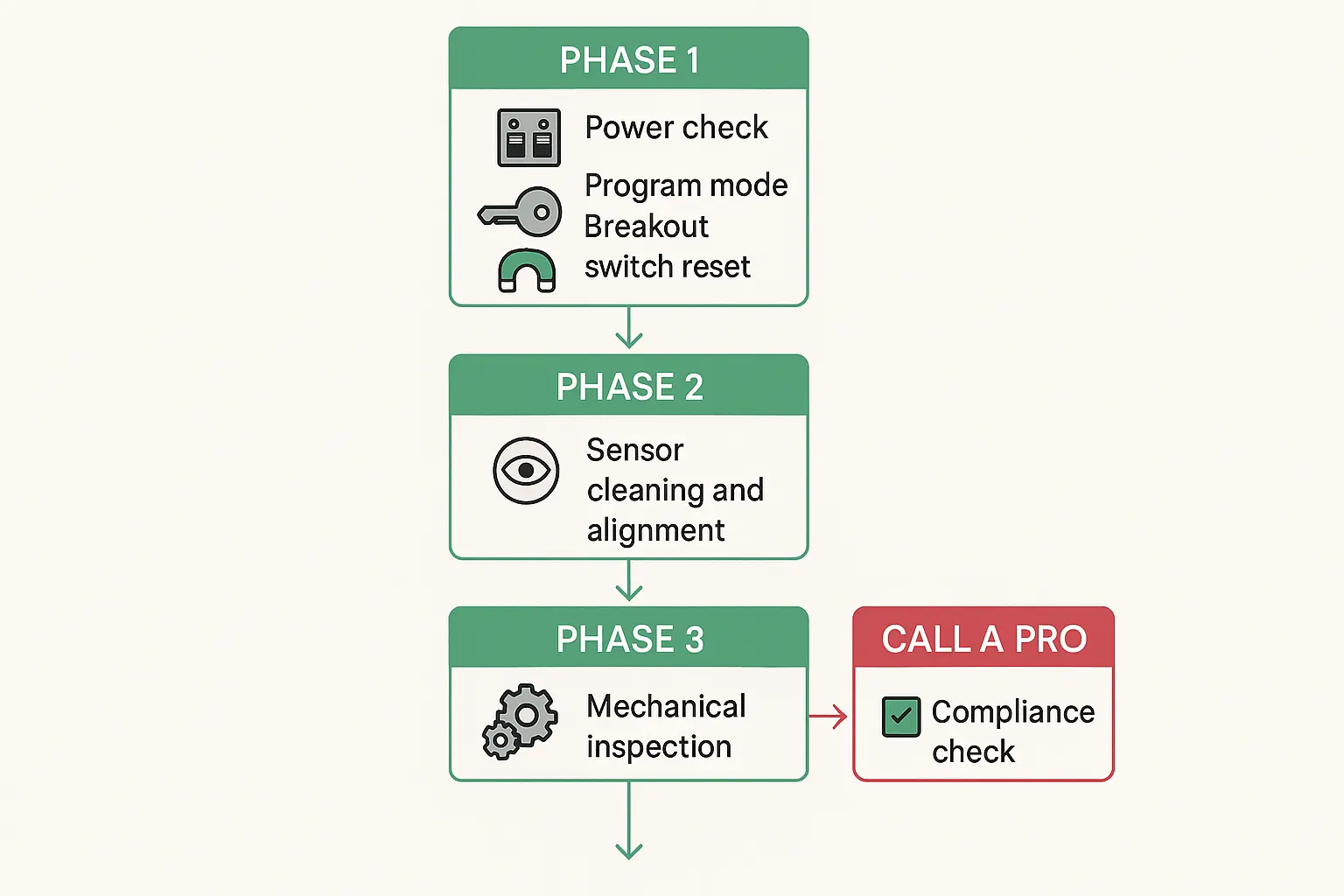
No-Cost Quick Fixes and Power Audits


When an automatic sliding door refuses to budge, the culprit is often a simple communication breakdown between the electronic controller and its physical environment. Before assuming the motor is dead, check these three high-probability areas:

1. Power Supply and Hard Restarts

Verify that the door’s power switch (usually located on the header or near the side of the door frame) is set to “ON.” If it is, locate your facility’s electrical panel to check for a tripped circuit breaker. If the breaker is active, try a hard power cycle: turn the switch off for 30 seconds to clear the microprocessor memory, then turn it back on.

2. Key Switch and Program Modes

Ensure the program key switch isn’t set to “OFF,” “HOLD-OPEN,” or “EXIT-ONLY” (which prevents entry from the outside). A simple bump from a staff member can shift the rotary switch, halting normal operation. Reset the selector to “AUTOMATIC” or “TWO-WAY” mode to verify functionality.

3. The Breakout Switch Reset

According to manufacturer diagnostic logs, approximately 30% to 40% of “dead door” service calls are caused by a partially disengaged panic breakout or breakaway panel. When a shopping cart, luggage, or pedestrian bumps a door panel, the safety microswitch triggers and cuts motor power instantly to prevent injury. Simply pushing the swing-out panel back flush into its housing resets the magnetic switch and restores electrical power at zero cost.
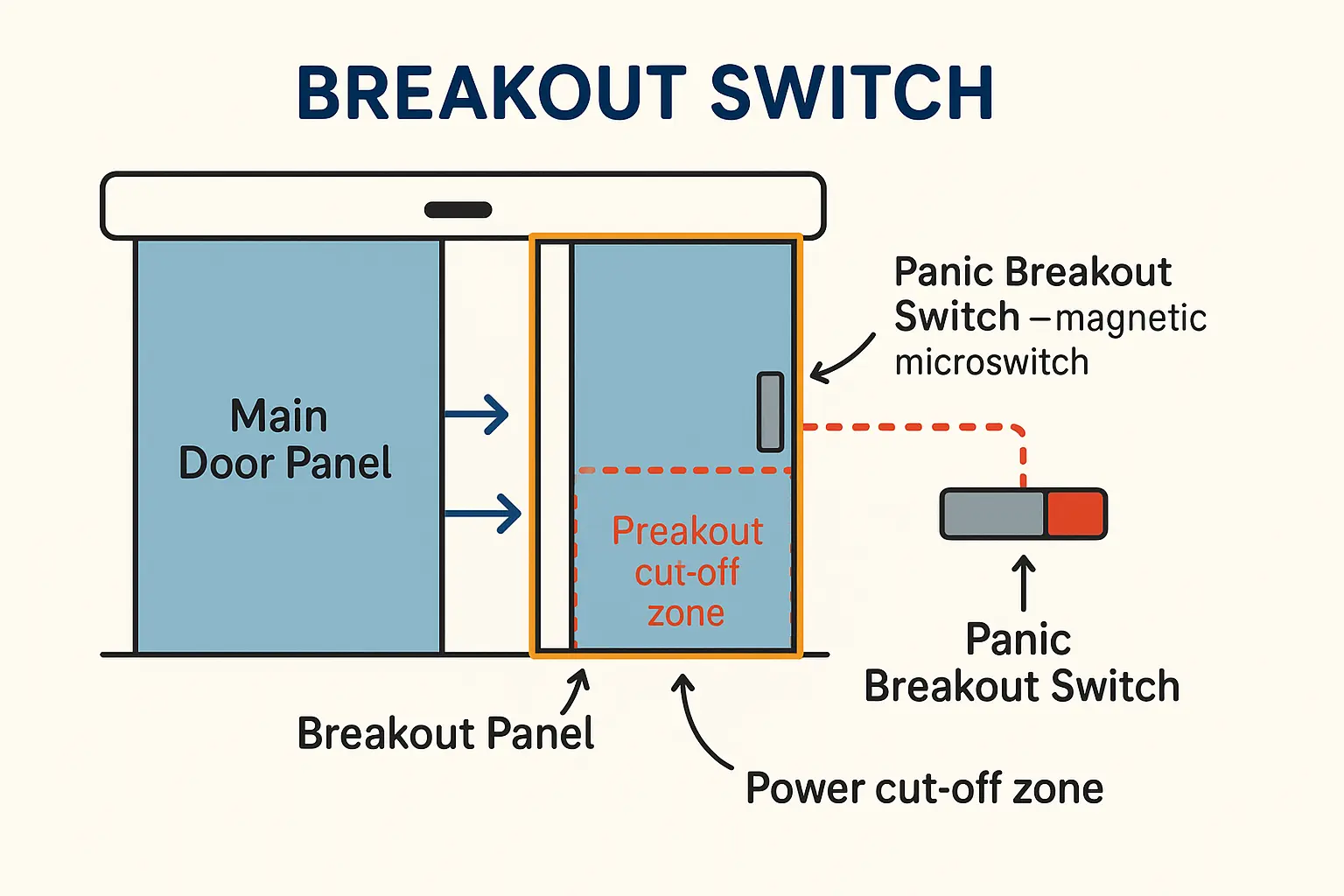
Understanding the 'Breakout Switch': This visual explains how the panic breakout switch on commercial sliding doors physically cuts motor power when the breakout panel is misaligned, causing the door not to open. Resetting this switch is a common zero-cost fix.

If these initial steps don’t restore operation, the issue may require a professional automatic sliding door repair to inspect internal wiring or control boards.


Sensor Alignment and Environmental Calibration


Modern commercial doors rely on highly sensitive radar sensors and infrared safety beams to operate. If your door is “ghosting” (opening and closing repeatedly with no one there) or staying shut, environmental factors are often to blame.

  • Clean the Sensors: Dust, winter salt residue, cobwebs, or heavy rain on the sensor cover plates can block the infrared beams. Gently wipe the sensor covers with a clean microfiber cloth.
  • Check for Physical Interference: Look for seasonal decorations, hanging signs, or debris within the sensor’s detection field. Even a loose floor mat or a strong HVAC vent blowing directly onto a light curtain can trick the sensor into thinking someone is standing in the doorway.

A Facility Manager

If the sensor covers are clear but the door remains unresponsive, you may need a technician specialized in automatic door sensor repair to recalibrate the detection zones or replace faulty hardware.


Mechanical Obstructions and Track Sweeps


Sometimes the motor is willing, but the physical track is blocking movement. Over time, high traffic takes a toll on the hardware.

  • Clean the Bottom Track: Dirt, gravel, ice, and trash can accumulate in the bottom guide channel. Vacuum out the track and wipe it down. Do not lubricate the track; oil attracts grime and makes the problem worse.
  • Inspect Rollers and Panels: Look closely at the top of the sliding panels. Are the hanger rollers resting properly on the track? If a panel is sagging or dragging against the floor, it creates excessive friction that triggers the automatic motor’s safety stop.

Addressing mechanical drag early protects your motor. However, if the track is warped or the rollers are worn down, professional commercial storefront door repair is necessary to safely lift and re-align the heavy glass panels.


Safety Compliance and the AAADM Daily Inspection


As a facility manager, you must balance operational uptime with strict safety guidelines. The American Association of Automatic Door Manufacturers (AAADM) mandates that all commercial automatic doors undergo a daily safety check to maintain compliance with ANSI A156.10 (for high-energy doors) and ANSI A156.19 (for low-energy doors).

Ignoring these standards dramatically increases corporate liability in the event of an accident. During your troubleshooting, always perform these basic checks:

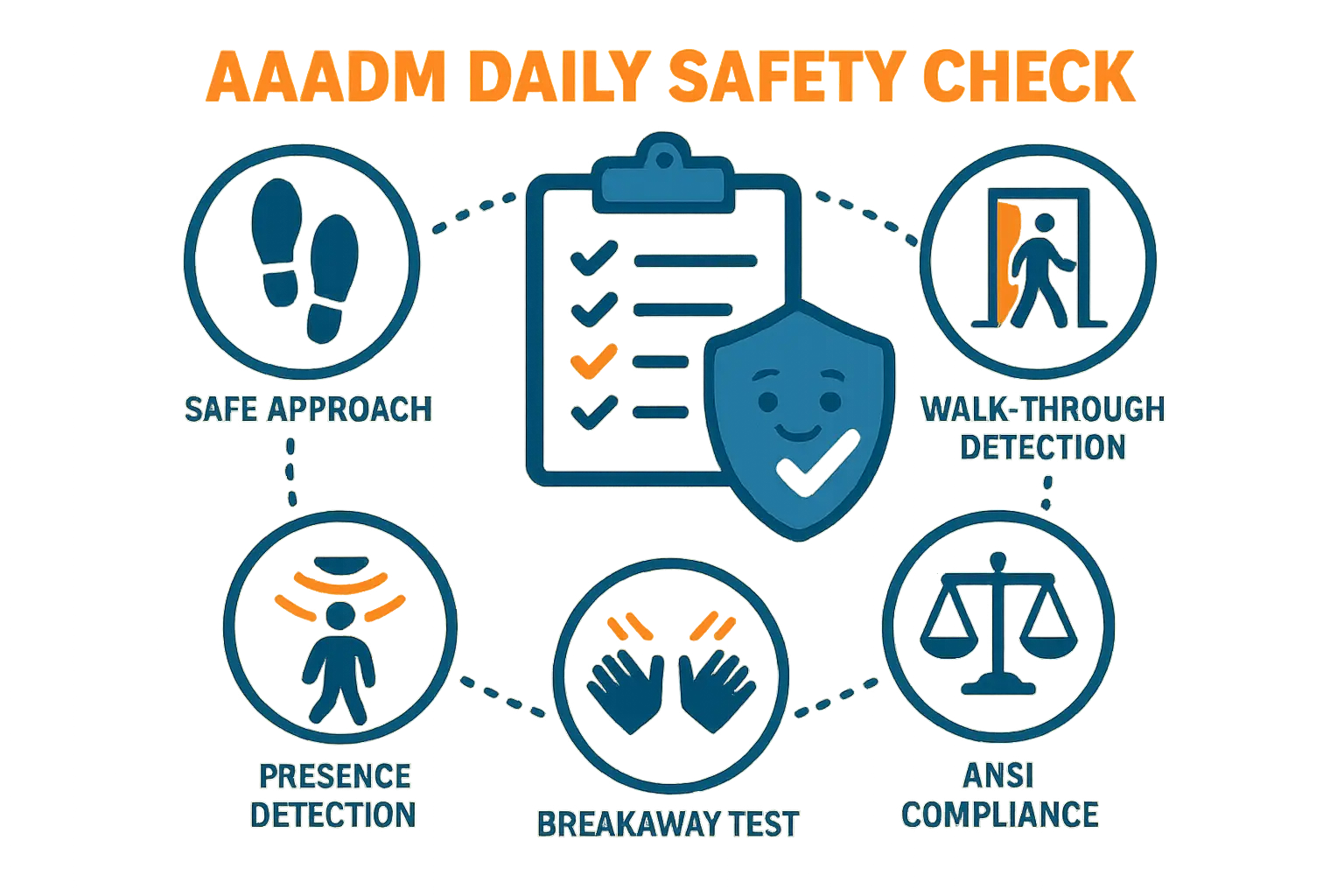
  1. Walk-Through Test: Walk straight toward the door at a normal pace. The door should begin opening when you are at least 43 inches away and open smoothly without hesitation.
  2. Safety Zone Verification: Stand in the threshold for at least 10 seconds. The door must remain fully open, protected by active presence sensors or safety beams.
  3. Force Limits: Under ANSI A156.10, the force required to prevent a sliding door from closing must not exceed 30 lbs. This prevents dangerous entrapment.

Daily Safety Check Made Memorable: This visual mnemonic highlights the essential AAADM safety inspection steps to help facility managers quickly recall and document compliance, reducing liability risks.

To shield your business from legal exposure and keep your systems working safely, schedule regular automatic door maintenance to ensure complete automated door safety compliance.


Evaluating DIY Versus Calling a Certified Technician


While checking the breakout switch, clearing track debris, and resetting power are safe DIY tasks, attempting to fix internal motors, complex wiring, or control boards can void manufacturer warranties and create major safety hazards.

If the simple troubleshooting steps in this guide do not resolve the issue, it is time to call in an AAADM-certified professional. When you need immediate support to protect your retail or commercial facility overnight, contact a trusted 24 hour automatic door service provider to dispatch a licensed technician and restore your building’s security and flow. For non-urgent issues, scheduling a standard automatic door repair remains the safest, most cost-effective path forward.


Frequently Asked Questions


Why does my automatic sliding door keep opening and closing when no one is near it?

This behavior, known as “ghosting,” is usually caused by an environmental interference tripping the motion sensor. Check for loose floor mats, hanging banners, wet weather on the sensor cover, or HVAC vents blowing warm air directly into the detection field. Wiping the sensor cover and removing movement-causing items usually resolves this.

Can I manually lock my automatic sliding door if the motor loses power?

Yes. Commercial automatic doors feature mechanical hook bolts or manual locks, and many have motor clutches that can be manually disengaged. If power is lost, you can slide the doors closed by hand and engage the physical cylinder locks or hook bolts along the bottom rail or stile to secure your storefront.

How often do I need to document safety inspections for commercial doors?

The American Association of Automatic Door Manufacturers (AAADM) recommends performing and documenting a Daily Safety Check for every automatic door on your property. Keeping a written or digital log of these checks is a vital step in proving regulatory compliance and protecting your business from liability.